Reimbursement Portal

From 20-page forms to one-click invoicing
- FinTech
- Education
- Workflow Automation
- Role
- UI/UX Designer
- Team
- 9 developers, 2 designers
- Timeline
- Jan–Jun 2024
- Tools
- Figma
The Challenge
20 Pages, 3 Channels, 1 Bottleneck
Teachers submitted reimbursement requests through a lengthy, rigid form and supply requests through a completely separate email channel. Admins juggled inputs from both channels and manually re-entered data into Bill.com to generate invoices.
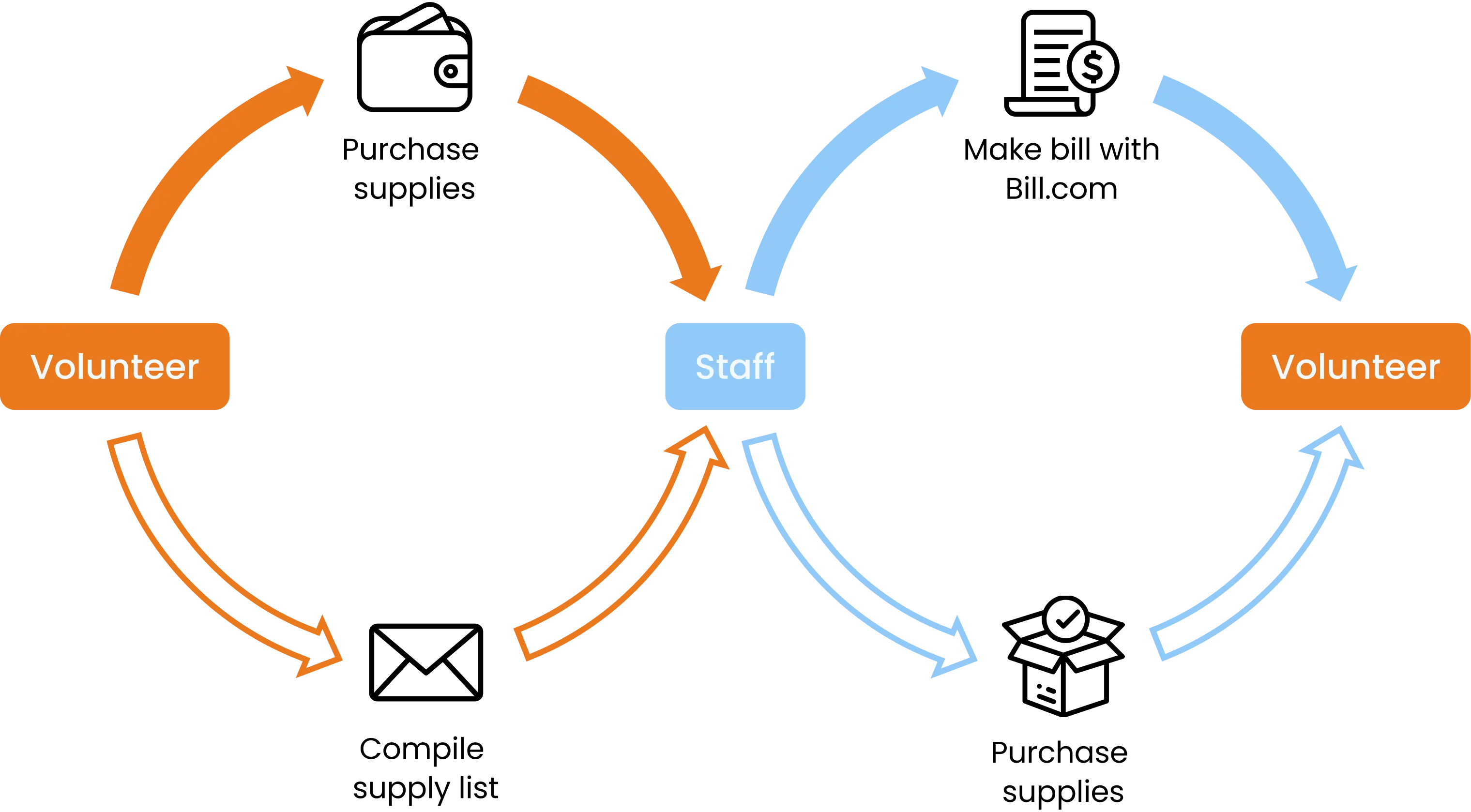
We asked: how might we build a scalable expense management system that simplified teacher submissions, unified both request types, and automated invoice generation on the admin side?
My Role & Process
As the UI/UX designer…
I partnered with another designer to sketch wireframes, iterate based on client feedback, and prepare detailed design documentation for engineering handoff, collaborating closely with developers across 3 sprints to validate technical feasibility throughout the build.
Discovery Research
From forms to frustration
Methods
- 3 Staff interviews
- User personas
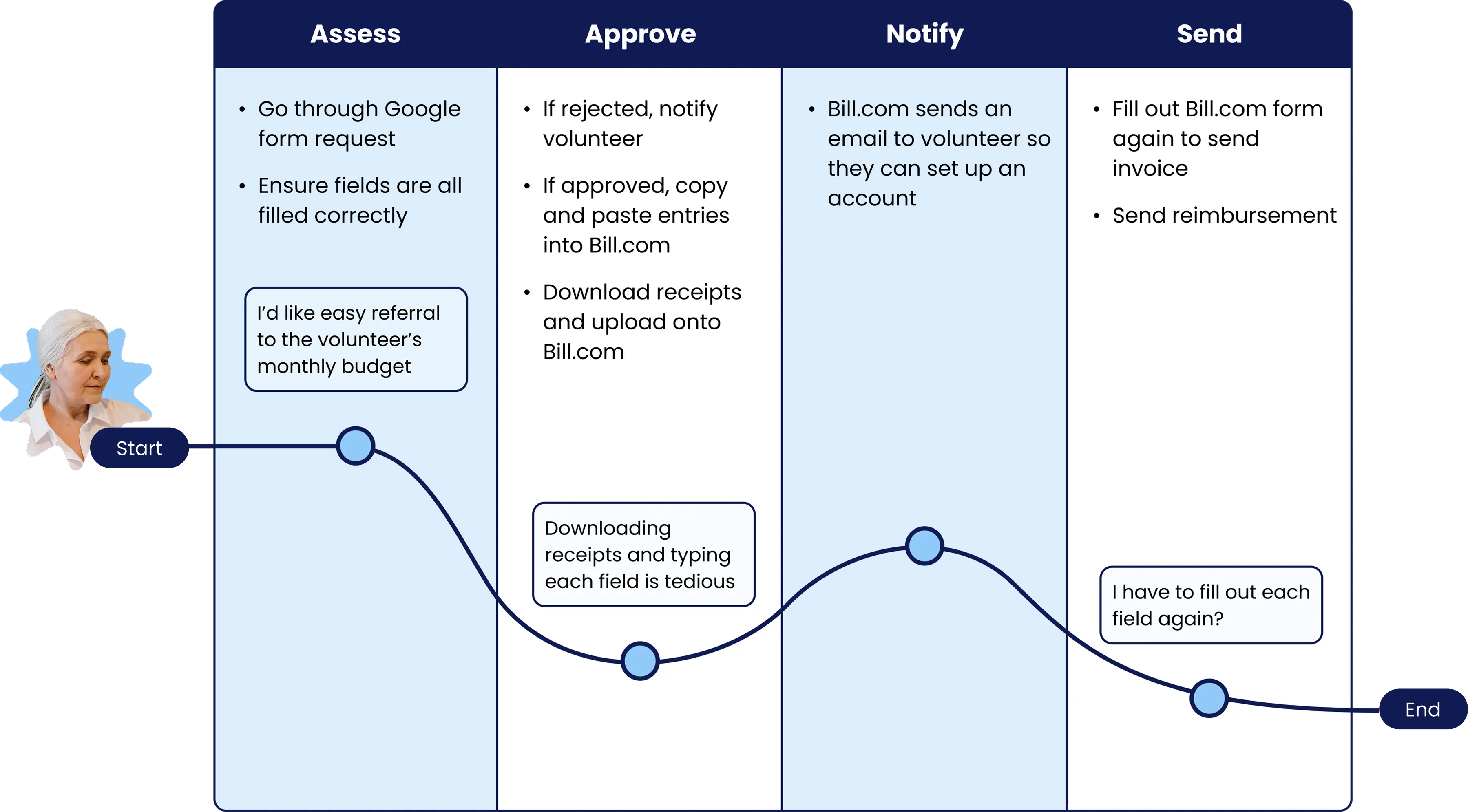
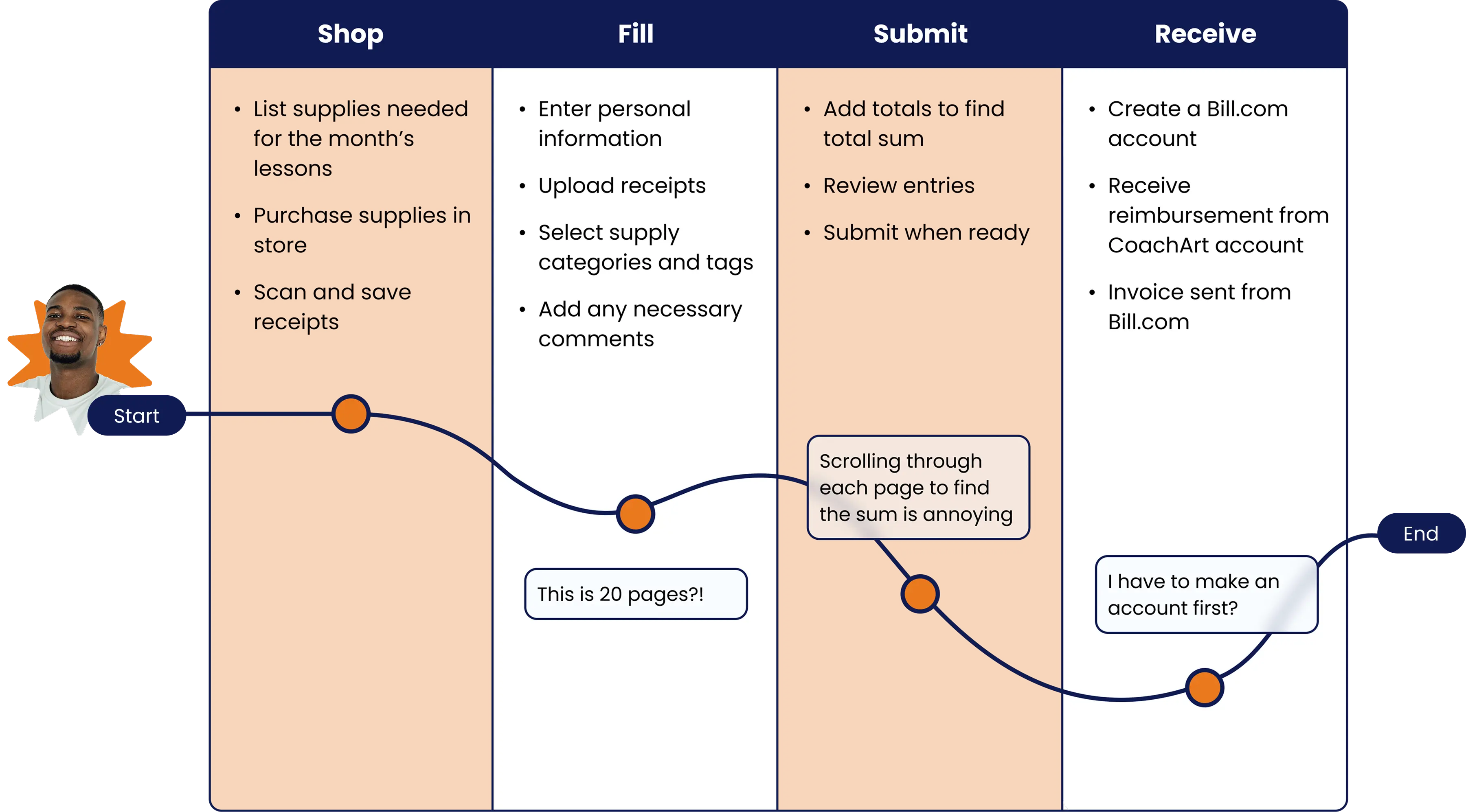
- Journey mapping
Key Insights
- Teachers had to complete a rigid, 20-page Google Form with repetitive fields and no flexible editing.
- Supply requests were submitted via email through a completely separate process, creating confusion for volunteers and admins alike.
- Transferring data to and from Bill.com was manual, error-prone, and a major time sink for admins.
“I want to have a simpler and clear way to request supplies and submit reimbursements.”
“I want to create bills within Bill.com with minimal manual effort.”
Design Decisions
3 Constraints, 3 Trade-offs, 1 Platform
01 Flexible, navigable reimbursements
Constraint
Reimbursement requests were high-stakes and required easy double-checking, something fixed-length Google Forms couldn’t support.
What I tried
I designed a custom portal with file uploads and CoachArt-specific categorization, but early feedback showed the layout was difficult to navigate.
What I shipped
Each receipt opens in its own tab with a side-by-side preview for quick review and edits. I also replaced the hardcoded 20-page structure with a dynamic form that expands or contracts based on how many receipts a teacher actually has, cutting unnecessary fields for the majority of submissions.
02 Supply request that feel familiar
Constraint
Volunteers emailed raw purchase links to admins, but the lack of visible confirmation often led to missing information or the wrong item being sent.
What I tried
I added link previews, quantity counts, and pricing, but without a clear layout hierarchy, the screen still felt cluttered and hard to parse.
What I shipped
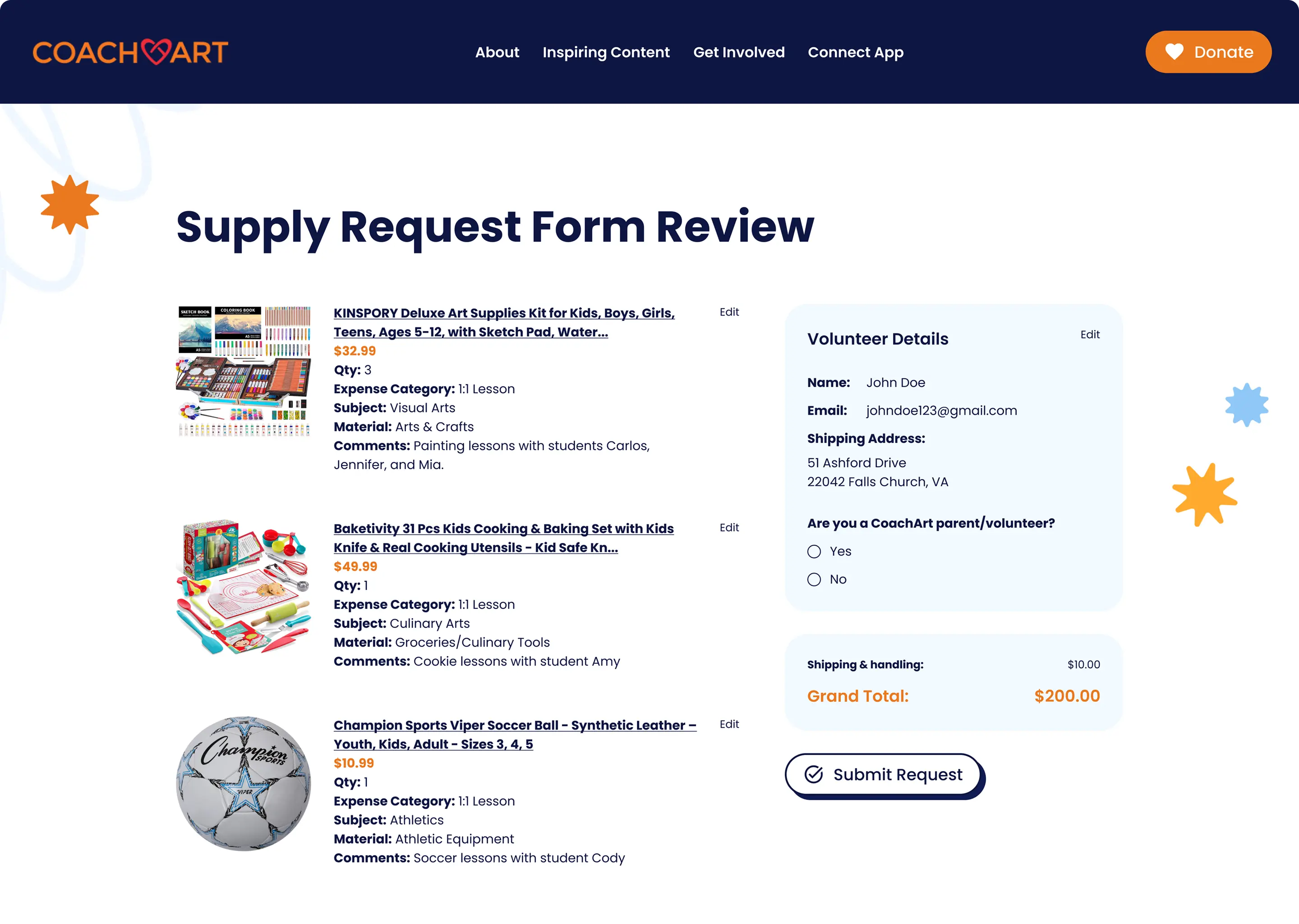
Items displayed in a familiar e-commerce-style layout, aligning with mental models volunteers already had from everyday online shopping.
03 Automate approval processes
Constraint
Bill.com's API could only read PDFs so each teacher's form submission needed to be translated into a PDF before admins could invoice it.
What I tried
I first generated a static PDF for admin review, but admins found it difficult to direct teachers back to specific errors.
What I shipped
Interactive, item-level checkmarks that streamline pre-written feedback flows, letting admins flag issues precisely and invoice in a single pass.
Final Product
Submit reimbursement request
Dynamic, receipt-by-receipt form with side-by-side preview and editing.
Submit supply request
E-commerce-style interface for browsing and confirming purchases.
Review & invoice
Item-level approval flow that generates Bill.com-ready invoices in one pass.
Impact
6 Steps to 1
- 90% reduction in reimbursement submission time
- Per-receipt processing cut from 6 manual steps to 1 — eliminating manual download/upload and re-entry of 5 associated form fields per receipt
- Adopted by 450+ volunteers and teachers
Reflection
Looking back, I'd have spent more time researching how existing cloud ERP systems like Ramp or Oracle handle financial workflows before jumping into wireframes. In hindsight, I would’ve added features like bulk review or smart categorization into CoachArt’s reimbursement portal.